
Walk into tax season with everything in one folder.
Paper Trail turns Claude, ChatGPT, Gemini or Grok into a calm tax-time organizer for US and Canadian households. Tell it what happened this year and get a document checklist that fits, a folder and file naming system, a simple receipt habit, a log for side income and expenses, the key dates to confirm, and a list of questions to bring to your preparer. It doesn't tell you what to claim or what you owe: that is your preparer's job, and it helps you show up ready.
Get Paper Trail Tax Organizer for $5 Show my dates
$5 once · card, Apple Pay or Google Pay · download in a minute
Into more than one hobby? Get all 70 hobby skills for $19, this one included.
- One-time $5
- Instant email delivery
- 14-day refund
- Works in Claude, ChatGPT, Gemini and Grok
Checklist: Priya and Sam, 2026 tax year, US
Married · new job in June · Etsy shop on the side · baby born in March
Organizer, not adviceFiling with a CPAQuestions list ready
- WorkTwo W-2s for Sam: old employer and new employerCheck the old employer has your current mailing address before JanuaryGather
- SideShop income and expense log, totals by monthPlus any 1099-K or 1099-NEC that arrives. Bring the log even if no form comesLog
- BabyBaby's Social Security card and childcare provider detailsProvider name, address and tax ID number, and what you paidGather
- Ask"Does the shop need estimated payments for 2027?"On the questions-for-your-preparer list, not answered herePreparer
- ScamThe IRS won't ask for gift cards. Hang up and checkCall the number on IRS.gov, never one from a text or voicemailSafety
The tax-time habits a tidy household and a good preparer both love
One skill, seven jobs. Claude, ChatGPT, Gemini or Grok picks the right one from what you ask.
Checklist from your year
New job, side or gig income, a move, a baby, buying or selling a home, retiring, school or a rental: the slips and records to gather, for the US or Canada.
Folders and file names
One simple folder system, paper or digital, with a naming pattern so you and your preparer find any receipt in seconds.
A year-round receipt habit
A ten-minute monthly routine to snap, name and file receipts, so January isn't a shoebox.
Questions for your preparer
Anything that sounds like "can I deduct this?" goes on a clear list to ask your CPA, enrolled agent or a free volunteer clinic.
Key dates to confirm
Estimated payment and instalment dates and filing deadlines checked against IRS.gov and canada.ca, with a reminder to confirm each one.
Side income log and record keeping
A simple income, expense and mileage log for your accountant, and how long the IRS and CRA say to keep each kind of record.
Ask it like you'd ask an organized friend
It knows which papers usually go with which life events, so the list fits your year, and it's honest about what only a preparer can answer.
Your 2026 checklist, grouped by what happened
Assumptions: you file together in the US and have one job each before the move. Tell me if that's wrong.
Jobs and the move
- Every W-2 from every employer this year, including any job you left.
- Your moving dates and old and new addresses. You may need a return for each state; ask your preparer.
Delivery app
- Any 1099-K or 1099-NEC the app sends, plus the app's own yearly earnings summary.
- A mileage log: date, where, why and miles for each trip, and your total miles for the year. Start it today if you haven't.
The baby
- The baby's Social Security number (apply at the hospital or with Social Security).
Questions for your preparer
- Do we need returns in both Ohio and Colorado?
- Which delivery costs can count, and do I need estimated payments?
- What does the baby change on our return?
Example answer from the full skill. Your answers depend on what you ask.
Honest about taxes
Tax rules are detailed and change often. Paper Trail organizes and points you to people who can answer.
- Organizer, not advisorIt never says what you can deduct, what to claim or what you owe. Those go on your questions list for a licensed preparer.
- Dates you confirmEvery date comes from IRS.gov or canada.ca with a reminder to check it. Dates not yet published are left out, not guessed.
- Free help is realIt points to IRS VITA and TCE sites and CRA free tax clinics when you might qualify, not just paid help.
- Scams called outThe IRS never takes gift cards, and the CRA never demands gift cards or crypto. It says so plainly and tells you to hang up and check.
Up and running in two minutes
No app to learn and nothing to install on your computer. It lives inside Claude, ChatGPT, Gemini or Grok.
Buy once
Pay $5 by card, Apple Pay or Google Pay. Your download link arrives by email in about a minute.
Add it to Claude, ChatGPT, Gemini or Grok
Upload the ZIP under Skills in Claude, or the unzipped folder in Gemini. It takes about 30 seconds. In Grok, upload the ZIP, or paste the included paste-in file into a new skill. In ChatGPT, add the included paste-in file to a Project.
Just ask
"What do I need to gather if I sold my house this year?" "Set up folders for my receipts." "When are Canadian instalments due?"
Pick your app for the exact clicks
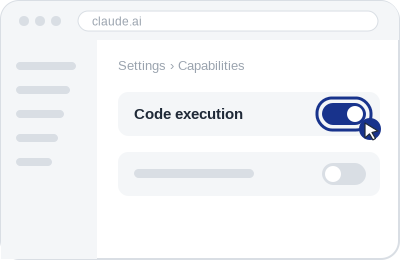
1In Settings, then Capabilities, turn on code execution.
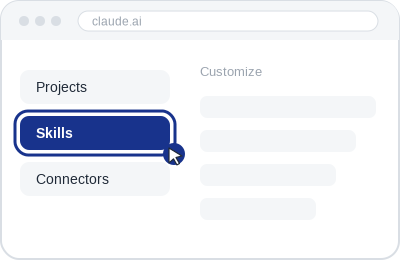
2Open Customize, then Skills.
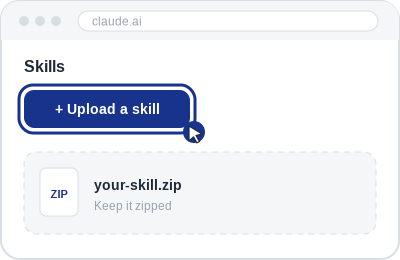
3Click +, choose Upload a skill, pick the ZIP. Keep it zipped.
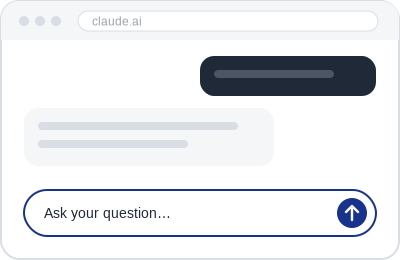
4Start a new chat and ask. Claude picks up the skill.
Works on every Claude plan, including the free one. Free plans have lower usage limits.
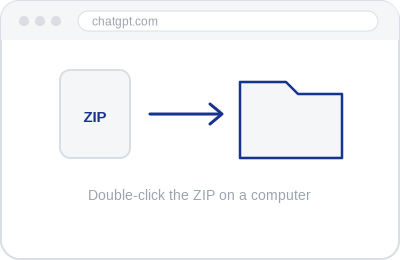
1On a computer, unzip the download and find ANY-AI-PASTE-VERSION.txt.
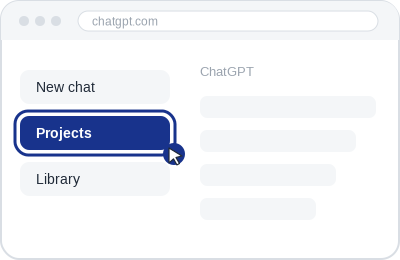
2In ChatGPT, open Projects and make a new project.
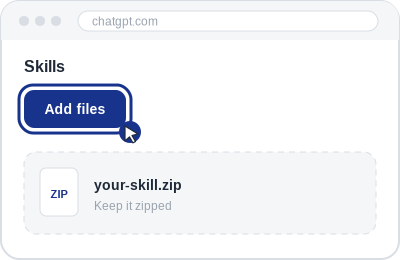
3Add the .txt file to the project. In its instructions, type: Follow the attached file.
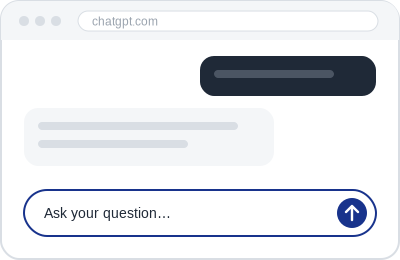
4Start a chat in that project and ask. On a Business, Enterprise or Edu plan, you can upload the ZIP under Skills instead.
Personal ChatGPT plans (Free, Plus, Pro) don't have a Skills page yet, so you use the paste-in version in a Project. On a Business, Enterprise or Edu plan, go to chatgpt.com/skills, choose Add, then Upload from your computer.
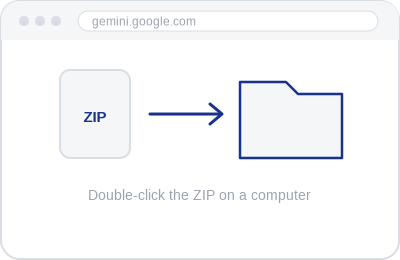
1On a computer, unzip the download. You get a folder.
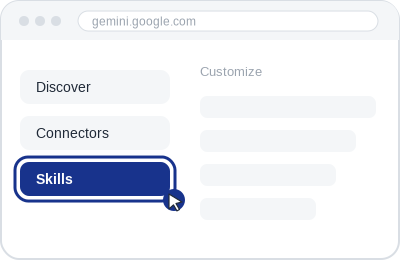
2At gemini.google.com, open Customize, then Skills.
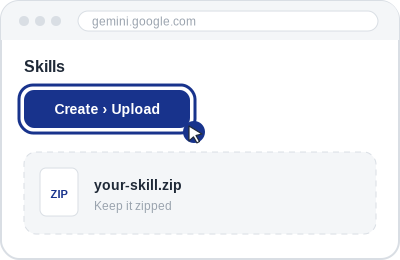
3Choose Create, then Upload, then folder. Pick the unzipped folder.
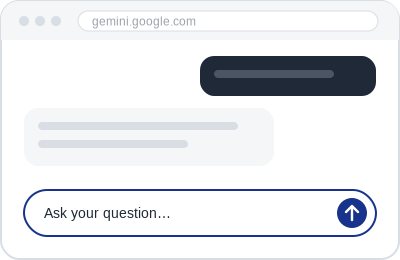
4Start a new chat and ask.
Gemini takes the unzipped folder, not the ZIP. Menus in Gemini change often, so names may differ slightly.
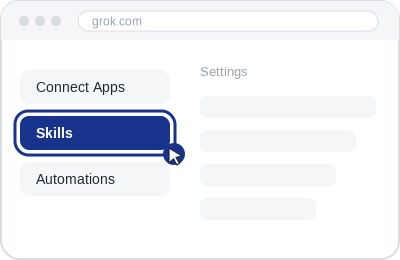
1At grok.com, open Settings, then Skills.
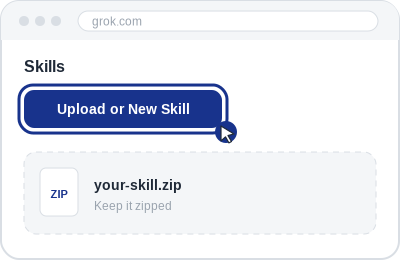
2If you see Upload, pick the ZIP. If you only see New Skill, use the next step.
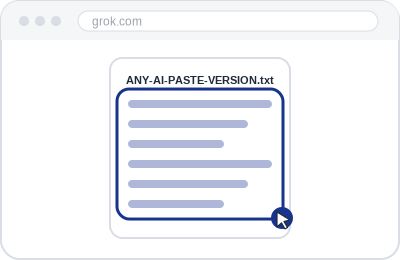
3New Skill: name it, then paste the text of ANY-AI-PASTE-VERSION.txt (below the line of equals signs) into Instructions.
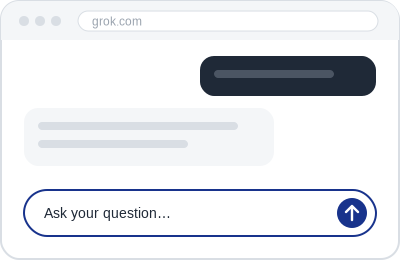
4Save it, start a new chat and ask.
Some Grok plans upload the ZIP; others show a New Skill form, where you paste the skill text in. Menus in Grok change often, so names may differ slightly.
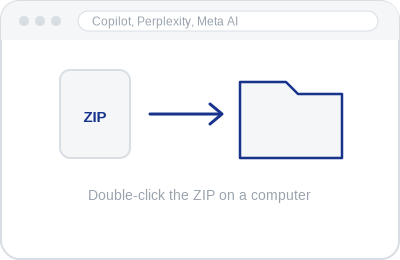
1No Skills page? Unzip the download on a computer.
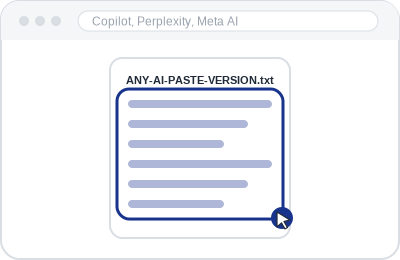
2Open ANY-AI-PASTE-VERSION.txt and copy everything.
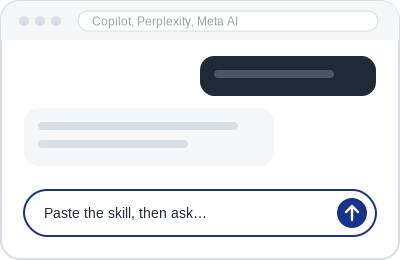
3Paste it into a new chat, then ask your question.
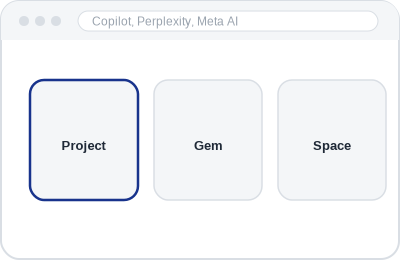
4To keep it on, add it to a ChatGPT Project, Gemini Gem or Perplexity Space.
Using Claude Code, Codex, Cursor or another coding agent? Unzip it into the skills folder, for example unzip paper-trail-tax-organizer.zip -d ~/.claude/skills/
On your phone? Go ahead and buy: the download link goes to your email and works for a year. Adding a skill is easiest from a computer, in a web browser or the desktop app, so open that email there when you're ready. Want to try it on your phone today? Open the ZIP, copy ANY-AI-PASTE-VERSION.txt into any chat app, and ask.
Start with the free Document Checklist
A small skill that turns your household's year into one tax document checklist: the slips, forms and records to gather, grouped so you can tick them off, for the US or Canada.
- A checklist built from what happened this year
- US forms or Canadian slips, named clearly
- Open questions saved for your preparer
Get Paper Trail Tax Organizer
Pay once, use it every tax season. Includes the free Document Checklist too.
How to add it
Upload the ZIP under Skills in Claude, or the unzipped folder in Gemini (in Grok, upload the ZIP or paste the paste-in file into a new skill; in ChatGPT, add it to a Project), then start a new chat and try: "I'm in Ontario. This year I got a new job in May, did some freelance design work on the side, and we bought our first condo. Make me a tax document checklist and a list of questions for my accountant."
See the clicks for your app. Every download also comes with a paste-in version for any other chat, and a Start Here PDF.
Step-by-step guides with pictures: Claude · ChatGPT · Gemini · Grok
Paper Trail Tax Organizer
Checklists, folders, receipts, questions for your preparer, dates to confirm and a side income log.
$5 one time
- Document checklists from your life events, US and Canada
- A folder and file naming system
- A year-round receipt habit
- Questions to bring to your preparer
- Key dates checked against IRS.gov and canada.ca
- A simple income, expense and mileage log for self-employed work
- What to keep and for how long, with IRS and CRA sources
- Updates for a year
Card, Apple Pay or Google Pay through Stripe. Taxes calculated at checkout. 14-day refund.
Giving it as a gift? Buy it, forward the email, and print a gift card.
See a real answer from the full skill
You ask: We moved from Ohio to Colorado in July, I started driving for a delivery app in September, and my partner had a baby in October. What do we need to gather for our taxes?
Your 2026 checklist, grouped by what happened
Assumptions: you file together in the US and have one job each before the move. Tell me if that's wrong.
Jobs and the move
- Every W-2 from every employer this year, including any job you left.
- Your moving dates and old and new addresses. You may need a return for each state; ask your preparer.
Delivery app
- Any 1099-K or 1099-NEC the app sends, plus the app's own yearly earnings summary.
- A mileage log: date, where, why and miles for each trip, and your total miles for the year. Start it today if you haven't.
The baby
- The baby's Social Security number (apply at the hospital or with Social Security).
Questions for your preparer
- Do we need returns in both Ohio and Colorado?
- Which delivery costs can count, and do I need estimated payments?
- What does the baby change on our return?
Into more than one hobby? The Skill Pass gets you all 70 hobby skills, this one included, for $19.
New to AI skills?
Paper Trail is a skill: a set of expert instructions you add to your own Claude, ChatGPT, Gemini or Grok account, so it answers like a tax-time organizer who knows the craft.
- Using Gemini? Unzip it and upload the folder on its Skills page. Using Grok? Under Settings, Skills, upload the ZIP or paste the paste-in file into a new skill. Using ChatGPT? Add the included paste-in file to a Project.
- New to all of them? Claude is an AI assistant made by Anthropic. Make an account at claude.ai: skills work on every Claude plan, including the free one, with code execution turned on in Settings, Capabilities.
- Try the free Document Checklist skill first. If you like it, the full skill is one purchase.
Not ready for an AI app? The free estimated tax payment date planner on this site works in any browser, no account needed.
Free tax-time tools
No sign-up, they run in your browser.
Made by Nic Hubert, What If Labs
I run What If Labs from British Columbia, Canada. I build each skill with AI help and test it on real questions, and a separate reviewer checks it before it goes on sale. If it doesn't do what this page says, email me at hello@whatiflabs.ai and I'll fix it or refund you.
No reviews yet: this store is new. Tell me how it went and I'll use it to make the skill better.
Questions
Will it tell me what I can deduct or how much I owe?
No. It's an organizer, not a tax advisor. When you ask whether something counts, it adds the question to your list for a licensed preparer (a CPA or enrolled agent in the US, a CPA in Canada) or a free volunteer clinic.
Does it work for both the US and Canada?
Yes. Tell it which country you file in, and for Canada your province, and it uses US forms like the W-2 and 1099 or Canadian slips like the T4 and T5 (plus RL slips in Quebec). It doesn't cover state or provincial rules in detail; it flags them as questions.
Are the dates right for this year?
Dates come from IRS.gov and canada.ca and were checked in November 2026 for the 2026 tax year, filed in 2027. Agencies sometimes change dates, for example after a disaster, so it always tells you to confirm on the official site. Dates not yet published, and state, provincial and Quebec dates, are left out.
Can I use it if I file with TurboTax, Wealthsimple Tax or an accountant?
Yes. It gets your papers and questions ready for any way you file. It doesn't connect to tax software or file anything for you.
Is my information safe?
Don't paste full Social Security numbers, SINs, account numbers or passwords into any AI chat. Paper Trail works fine with names of documents and rough totals.
What do I need to use it?
A Claude, ChatGPT, Gemini or Grok account. In Claude it works on any plan, including the free one, with code execution turned on (Settings, Capabilities). Free accounts have lower usage limits, so long planning sessions go further on a paid plan. It works in Claude on the web, the desktop app and Claude Code. In Gemini and Grok, upload it on the Skills page. In ChatGPT, personal plans (Free, Plus, Pro) don't have Skills yet, so you add the included paste-in file to a ChatGPT Project; Business, Enterprise and Edu plans can upload the ZIP under Skills. Coding agents that read SKILL.md files work too. Using Copilot, Perplexity, Meta AI or another chat with no Skills page? Every download includes a paste-in version (ANY-AI-PASTE-VERSION.txt) that works in any AI chat.
What if it doesn't work for me?
Email hello@whatiflabs.ai within 14 days of buying and we'll refund you in full. No forms, no questions.
How is this different from just asking an AI?
A general AI answer is often vague or skips steps. The skill gives your AI an expert's method: what to ask you first, the checklists and calculations to run, and the mistakes to warn you about. You get consistent, specific answers instead of a different guess each time.
Do I pay every month?
No. It's a one-time price, and updates to the skill are free.
Can I get a refund?
Yes. Every purchase comes with a 14-day refund, no questions asked. Reply to your receipt email and we'll take care of it.
What if it gets something wrong?
It shows its working, so you can check numbers and dates. Tell it what's off and it will correct itself. For anything where a mistake costs money or safety, double-check before you act, as you would with any advice.
Is my information private?
The skill runs inside your own Claude, ChatGPT, Gemini or Grok account, and we never see your chats. When you buy, Stripe handles the payment and we keep your email and order so we can send the download. The terms and privacy page has the details.